Showing posts with label Tablet Computing. Show all posts

Wednesday, October 2, 2013

Should I Get A Nexus 7?

I recently responded to a question from a friend of mine who wanted to know about getting a Nexus 7 tablet. He already has an iPhone and thought the Nexus 7 looked nice, seemed to do what he needed from a tablet, and at $230 was a more attractive price than an iPad Mini ($100 more). He said he needs to read books, Nook textbooks and PDF textbooks, create documents in Word/Excel, stream videos and music, and web surfing.

My take

First of all, when comparing with iOS, the Nexus 7 running Android can have only one app can on screen at a time. There are handwritten note-taking apps available on Android in the Play Store and they work with a standard touchscreen stylus pen; but beware, not all apps are created equal.

My concern is would be around the quality of Android's note taking apps. The absolute best apps debut on iOS before eventually being ported to Android if they are not exclusive to iOS. For example:

The best handwriting and note-taking app I've seen is an iOS exclusive called Notability: http://itunes.apple.com/us/app/notabili ... 93530?mt=8
Evernote's Penultimate is good too, but mainly because it syncs with Evernote. The handwriting engine on Penultimate is one of the nicer ones available but still not quite as nice as Notability. If handwriting notes is important, there are apps on Android that will get it done, but the best will be on iOS.

I already own an iOS device

For someone who already owns an iOS device, there is also the obvious lack of "native compatibility" between the tablet and an existing iOS device. Although an Android tablet would do everything needed in this case, if I were making this decision I would keep things iOS because of the simplicity of things like iMessage, Reminders, Airdrop, iCloud, and Photostream. Taking a picture from an iPhone and having it almost immediately available on your tablet is very handy. I have been in many sessions when I’ve been taking notes and added pictures to them from whiteboards, charts, etc…

Can cross-platform can be done?

There are several cloud-services like Dropbox, Skydrive, and Google+ Photo Backup available as Photostream or Airdrop substitutes. Google Hangouts can substitute iMessage and Google Docs can substitute for iCloud. Again though, generally apps available on iOS are better than their counterparts on Android – even some of Google’s own apps have seen better versions released on iOS than Android.

Are iOS apps are better?

Developers have said that the Android toolkit for developing apps is lacking in certain areas when compared to iOS tools. Apple has seemingly just put more effort into enabling developers to build quality apps. Apple also maintains application uniformity and holds developers to strict approval standards.

In the end it comes down to how important the apps are to your everyday use. For simplicity in the connectivity between devices, stay with the same OS. For people who are a little more tech savvy, using cross-platform apps may not be much of a hassle at all.

Tuesday, October 23, 2012

Dell Releases New Windows 8 Products

Looks like Dell is ready to go for Windows 8. I just don’t know if it looks like these will be good or not. With Dell’s presence in the enterprise though, these might be just what IT organizations are looking for to pacify it’s “consumerized” group of employees.

First up, the XPS 12:

image

image

image

This interesting guy here weighs in at 3.35 lbs. It has two USB 3.0 slots, a MiniDisplay port, 3.5 mm headphone jack and dual speakers. The unique part about it is that the screen flips over, allowing the XPS 12 to turn into an oversized slate. The touchscreen is enticing, but the design is questionable. I can see worn out and broken hinges being a possible issue. Also, the reviewers at Engadget seem to think the trackpad is a little flaky for their liking and not as smooth as it could be when using it in the desktop environment.

They sum it up here:

“Though the XPS 12's size and weight make it a bit unwieldy as a substitute tablet, it's still a compelling option if you're in the market for a high-end, touch-enabled Ultrabook. The XPS 12 is almost as light as other Ultrabooks, with a premium industrial design, comfortable keyboard, gorgeous 1080p screen and a super-fast boot-up time. The biggest drawbacks seem to be the flaky trackpad and the relatively short battery life, which doesn't improve much when you dim that 400-nit display. We'll be curious to see how other touchscreen Ultrabooks fare, particularly those with similarly versatile designs. In the meantime, though, the XPS 12 represents a solid start for this new wave of Windows 8 shape-shifters.”

-Engadget.com

Dell is also releasing a wireless touchpad. I have never desired using a touchpad on a PC. On my MacBook Air, I actually prefer using the touchpad and purchased Apple’s Bluetooth touchpad to go with it. I’m not sure how successful, or even desirable this Dell offering will be.

imageimage

And now introducing the Dell XPS 10 Windows 8 RT tablet.

imageimage

The XPS 10 Windows 8 RT tablet is Dell’s RT offering. This is not the fully functional Windows 8 OS but a mobile tuned version limited to apps in the Windows Marketplace. This tablet, like most others becoming available, has a optional keyboard dock that turns it into a pseudo laptop of sorts. Dell’s Windows 8 RT goes on presale for $499 for a 32GB tablet. Without the optional keyboard, that drops down to $399.

Dell XPS 10 Tablet

Tuesday, October 16, 2012

Microsoft Releases Surface Tablet RT Pricing

Today Microsoft unveiled pricing for their new Surface Tablet RT. For those who don’t know, some Windows Surface tablets run a version of Windows 8 they are calling RT. This version is not the full version of Windows 8 that will be on PCs later this year and instead is, "an exciting new version of Microsoft Windows," that "works exclusively with apps available in the Windows Store." –Microsoft. For some reference, Apple's mobile OS, iOS , does not run standard OSX software and is only compatible with apps from Apple's App Store. Microsoft is now taking the same approach with Windows RT.

There are details on the Microsoft.com website and the Surface RT tablet starts at $499 for 32 gigs without a Touch Cover and $599 with a Black Touch Cover. This is right in line with iPad pricing. A surface tablet without the Touch Cover comes in even cheaper than Apple's 32 gig iPad which starts at $599. For Apple's price, consumers can get a 32 gig Surface RT with Microsoft's new Touch Cover included.

The announcement of Surface pricing marks the beginning of Microsoft officially being a player and signifies an important step into the mobility market.

image

Surface Tablet RT is releasing October 26th, 2012 and you can go check out the "Help me choose” page.

For those who like toys, visit the Pre-order page and pick one up!!

Tuesday, April 17, 2012

Read-It-Later Becomes “Pocket”

And what used to be the premium version of Read-It-Later is now free!

One of my most used services throughout my travels on the internet is Read-It-Later. Simply put, it allows you to save stories from any internet page for easy access later via the Read-It-Later website or the apps available on iOS and Android.

It’s an excellent way to mark stories to read when there’s more time available. Even better is the ability to download stories offline to a mobile device for easy reading when there’s no data connection.

As of today, Read-It-Later is now “Pocket”. Head on over to their site at GetPocket.com to register for an account if you don’t already have one, and then head out to your favorite mobile app marketplace and download the app for your devices.


image

Wednesday, December 21, 2011

Is the iPad the Most Hated Gadget Ever?

Mike Elgan from cultofmac.com seems to think so. In an interesting article on the cultofmac website he gives his reasoning for this suggestion.

Tablet makers hate the iPad because they can’t compete with the numbers unless they sell tablets for prices so cheap it comes as a loss. Other tablet markets like those found in aviation and medical industries hate the iPad because it costs a fraction of what their devices do and works far better. The toy industry hates the iPad because all the kids want one. And finally, the PC industry hates the iPad because more people are realizing that they don’t need a PC as much as they used to.

Elgan brings up some good points and even shares my feelings towards Amazon and their soon-to-be reasons for hating the iPad as well. With growing rumors of a 7.85-inch iPad replacing the iPod Touch, things don’t look so good for the Kindle Fire. About the only appealing thing about that device is the obvious low price point.

Head on over to check out the full article:
Mike Elgan - Why the iPad Is the Most Hated Gadget Ever

Monday, September 27, 2010

BlackBerry announces PlayBook


The tablet age is fast coming upon us. First Apple's iPad hits the market with great success. Then last week Samsung unveiled the Galaxy Tab. Leaked videos have hit the net (engadget.com) showing an HP Slate running Windows 7 and talk from HP about a slate that runs WebOS has surfaced since HP bought Palm. Three different tablet possibilities with operating systems from three different companies, and this is just the beginning - competition is great! With the unveiling of Blackberry's tablet today, I think it's safe to say that the age of the tablet is almost completely upon us.

At today's BlackBerry developer's event, RIM announced their tablet: the PlayBook. A 7-inch, 9.7mm thick tablet outputting at 1080p, has e-reader functionality, and features its own BlackBerry Tablet OS. The hardware sounds nice, 1GHz dual-core CPU, 1GB of RAM, and a front and rear facing camera. It will run flash 10.1, supports HTML5, and has both HDMI and USB ports. Read more about the tablet as reported by Engadget

Here's the BlackBerry PlayBook in action:


Here are some pictures of the tablets I mentioned:
BlackBerry PlayBook:

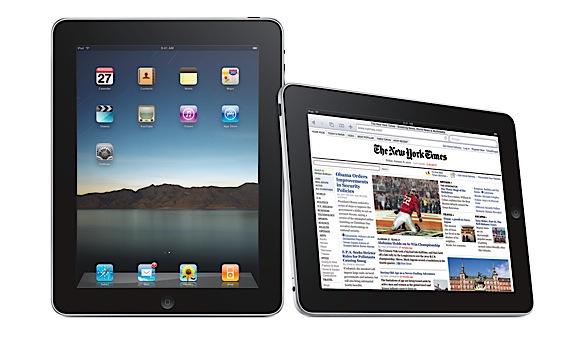
Apple iPad:


Samsung Galaxy Tab:


HP Slate / WebOS Tablet Concept design: